
01 / QR ORDERING
QR ordering for your restaurant
Let guests scan a table QR, browse your menu and send dine-in orders without waiting for a paper menu.
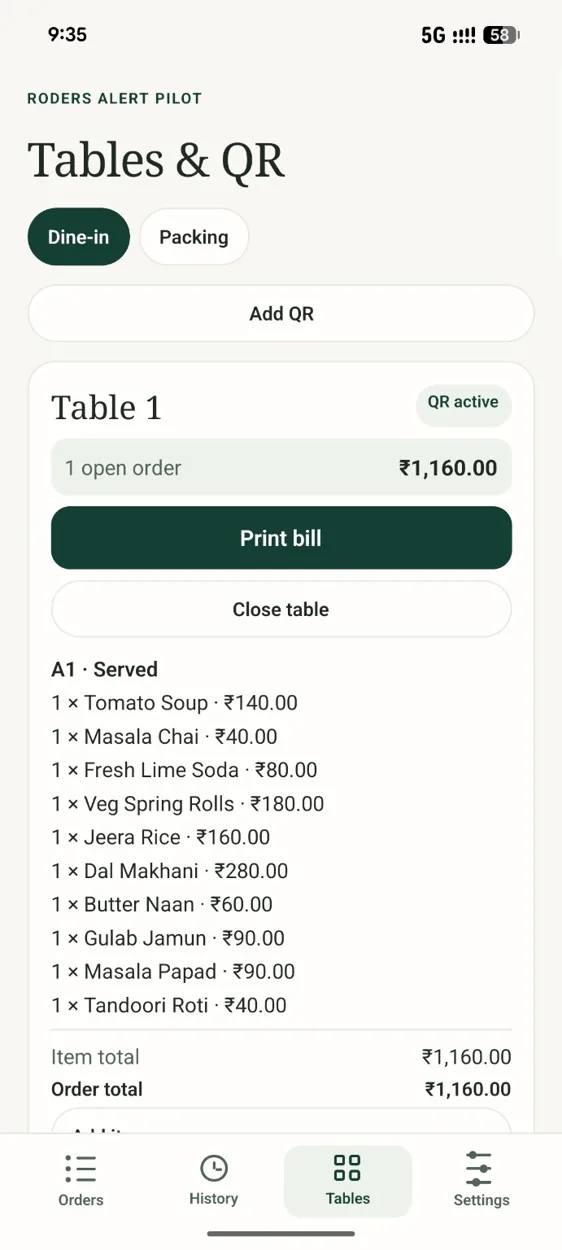
What you can do
Built around real restaurant work.
The experience is designed to make a busy team feel more in control, not add steps to the shift.
What this feature includes
- Guest-friendly menu on their own phone
- Table-specific order flow and status tracking
- Ability to add dishes to a newly placed order
- Built-in waiter-call option with a cooldown
In practice
A smoother workflow, step by step.
01
Put a QR on the table
Generate table QR cards from the owner dashboard and print them for dine-in tables.
02
Guests scan and choose
Customers browse categories, set quantities and add notes to their dishes.
03
Orders go to the team
New orders appear in the live Orders workspace for acceptance.
04
Everyone stays informed
Guests can track progress while the kitchen handles preparation.
Ready to explore?
Give your restaurant a smoother shift.
See what Roders can do, then decide if it fits the way your restaurant works.