Less order chaos. More time for guests.
From the first table scan to the final bill, Roders connects your menu, live orders and kitchen in one simple flow.
Built around the way independent restaurants actually work.
Everything an order needs.
Nothing it doesn't.
QR ordering for your restaurant
Let guests scan a table QR, browse your menu and send dine-in orders without waiting for a paper menu.
 Explore feature
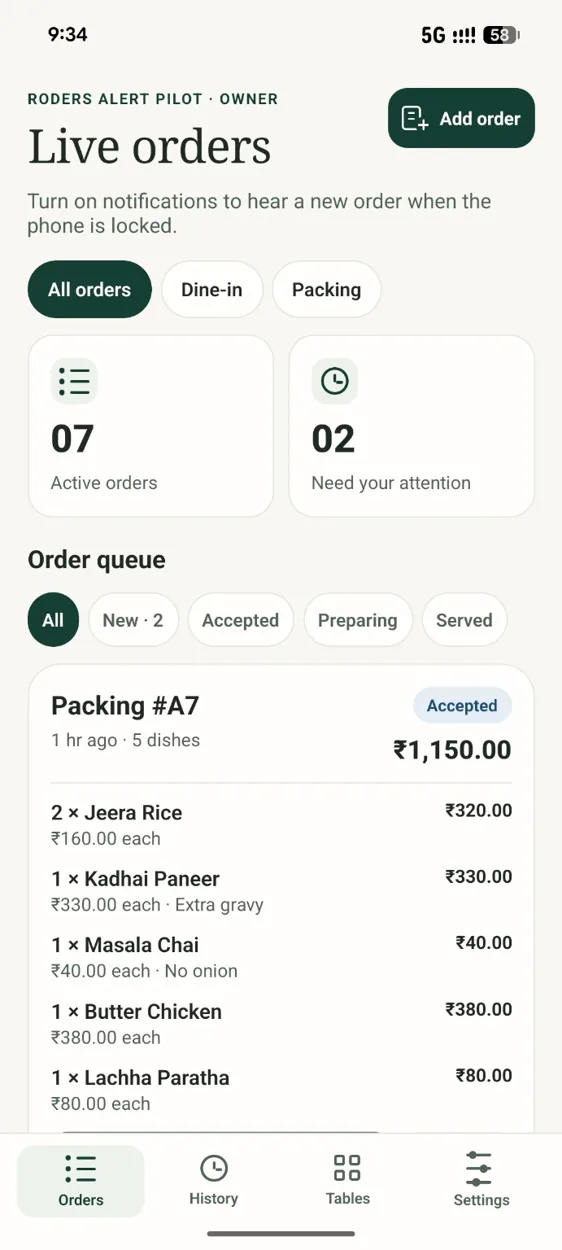
Every order. One clear view.
Keep dine-in and packing orders visible in a live workspace, with item details, status updates and the next action easy to find.
A calmer kitchen starts here.
Accepted orders move into a focused kitchen queue. Cooks see what to prepare and can update progress without being distracted by billing details.
A menu that keeps up with service.
Update dishes, categories, prices and availability from the owner workspace instead of reprinting your entire menu.
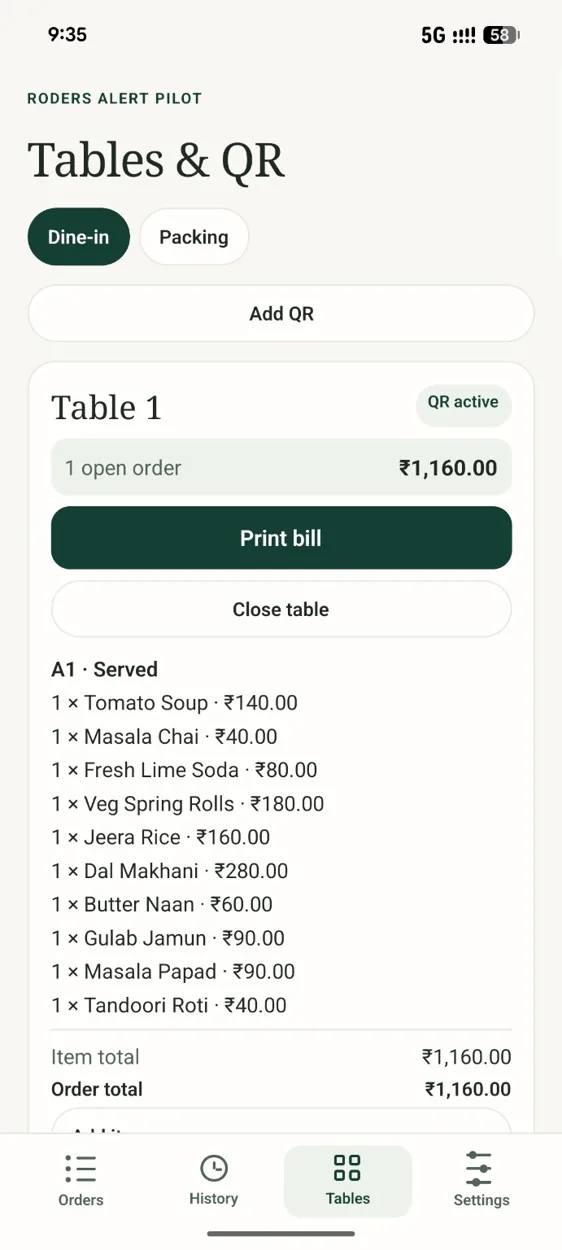
Bills and order records, together.
Review served tickets, print itemized bills and look back at closed orders without piecing together scattered order slips.
From scan to served.
One connected journey.
Guests, front-of-house and kitchen each get the view they need.
Scan the QR
Guests open the restaurant's digital menu from their table.
Place an order
Browse dishes, add instructions and send a dine-in order.
Kitchen prepares
The restaurant accepts it and cooks track the preparation.
Print & close
Print the itemized bill and review the completed ticket later.
Know what's happening at every table.
When orders are easy to find and statuses are easy to understand, your team can spend more energy on hospitality.
- See dine-in tables and packing tickets in one workspace.
- Print a served bill and close a table when it's ready.
- Keep kitchen details focused on preparation, not prices.
Try the full order journey. No signup required.
Place a sample guest order, accept it as the owner and move it through the kitchen. It is a local simulation, not a real restaurant order.
Better service starts
with better know-how.
How to set up QR ordering at your restaurant
Table labels, menu structure, guest instructions and practical rollout tips.
Read guideGuide · OperationsReduce order mistakes during the rush
Simple practices for clear order notes, handoffs and tracking.
Read guideFree tool · PrintableCreate a printable QR table card
Customize your table card and add the QR image from your dashboard.
Open free toolEverything you're wondering.
A few practical answers before you take a closer look.
What does Roders actually do?
Roders helps restaurants manage digital menus, dine-in QR ordering, live dine-in and packing tickets, kitchen preparation, bill printing and closed order records.
Does Roders replace a full POS and inventory system?
Not necessarily. Roders currently focuses on order operations, not a broad suite of inventory, accounting, payment processing or POS hardware integrations. Ask us about your specific workflow.
Do customers need to install an app?
No. Dine-in customers can open the guest menu through the table QR code in their mobile browser.
Can kitchen staff see customers' phone numbers or prices?
Roders has dedicated role views. The kitchen order flow shows dishes and instructions without financial amounts or guest phone numbers.
Can I try Roders before talking to someone?
Yes. The public demo lets you explore a simulated order flow. It uses local sample data and never places an order with a real restaurant.
Give your restaurant a smoother shift.
See what Roders can do, then decide if it fits the way your restaurant works.